
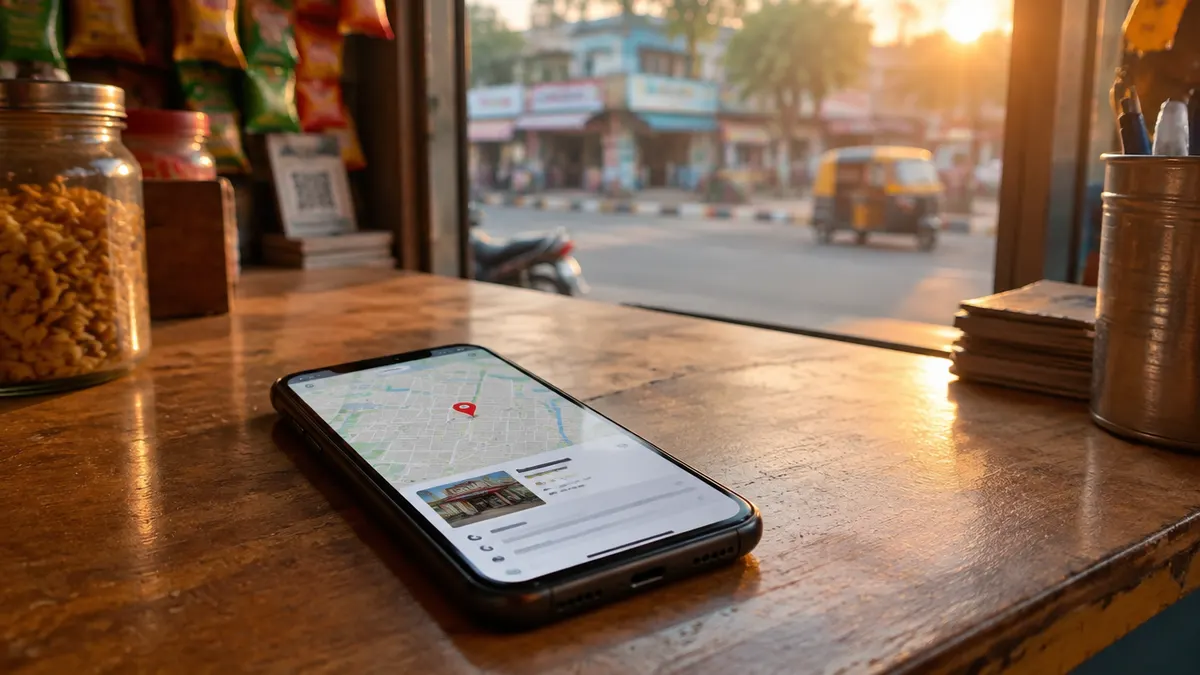
When someone in Kolkata searches "dentist near me", "AC repair in Salt Lake" or "best biryani in Park Street", Google usually shows a map with a few businesses before any normal website results. Local SEO is the work of making sure your business shows up there, with correct details, when nearby customers are looking. This guide explains how Google decides who appears, what to set up first and the mistakes that get profiles suspended.
How Google ranks local results
Google's own help page says local results are based mainly on three things:
- Relevance: "how well a Business Profile matches what someone is searching for."
- Distance: "how far each business is from the customer who's searching."
- Prominence: "how well-known a business is." This includes things like reviews and how widely your business is referenced across the web.
Google also states plainly: "There's no way to request or pay for a better local ranking on Google." So anyone selling a guaranteed "#1 on Maps" is selling something they can't control. What you can control is relevance and prominence, by giving Google complete, accurate information and building a genuine reputation.
Step 1: Set up your Google Business Profile properly
Your Google Business Profile (previously called Google My Business) is the most important local SEO asset you have. Start here:
- Claim and verify the profile. Google says verified businesses are more likely to appear in results.
- Use your real business name, the one on your signboard, website and invoices. Google's guidelines don't allow extra information such as taglines or locations in the name, and adding them can lead to suspension.
- Choose the most accurate primary category, for example "Dental clinic" rather than "Doctor", then add secondary categories only if they're genuinely true.
- Add your address only if customers visit you. If you go to customers instead (plumbers, home tutors, AC repair), Google says service-area businesses should hide their address and set a service area. PO boxes and virtual offices aren't allowed.
- Fill in hours and holiday hours. Wrong hours lead to wasted trips and bad reviews.
- Add services, products and attributes (parking, wheelchair access, payment options) that customers actually ask about.
- Upload real photos of your premises, team at work, products and signboard. Skip stock images.
Step 2: Make your website support your profile
Your profile and website should tell Google the same story.
- Consistent business details. Show the same name, address and phone number on your website as on your profile, ideally in the footer and on a contact page.
- A clear page for each main service, written for local customers ("Root canal treatment in Behala", not just "Services"). Link your profile to the most relevant page.
- A map and directions on your contact page.
- Fast loading on mobile. People searching for a nearby business are often on their phones, so a slow site can lose the customer even after Google sends them.
- Structured data (LocalBusiness or a more specific type) with your official name, address and phone helps search engines read your details reliably.
Step 3: Build reviews the right way
Reviews affect both prominence and whether people choose you. Google's contribution policy allows businesses to encourage genuine reviews. It does not allow:
- offering incentives such as payment, discounts or free services in exchange for reviews;
- discouraging negative reviews, or asking only happy customers to review (sometimes called "review gating");
- posting content on a competitor's listing to damage its reputation.
The same policy says not to pressure people to review while they're on your premises. A simple approach that works: after the job is done, send a short message with your review link, the same for every customer. Then reply to reviews, good and bad, politely and without sharing private details.
Healthcare providers note: doctors and hospitals have extra restrictions on requesting reviews and testimonials under the NMC's 2026 advertising guidelines. See our NMC checklist for clinics.
Step 4: Get listed where your customers look
Being listed accurately on other trusted sites helps Google confirm your details and helps customers find you. For most Kolkata businesses that means:
- local directories such as Justdial and Sulekha;
- industry platforms (Practo for clinics, Zomato and Swiggy for restaurants, IndiaMART for manufacturers and suppliers);
- your social media profiles.
Use exactly the same name, address and phone everywhere. A few accurate listings beat hundreds of low-quality directory entries.
Step 5: Keep the profile active
- Post updates when something actually changes: new services, festival hours, a new branch.
- Add new photos every few months.
- Answer the questions customers ask you on the phone in your profile description and on your website.
- Check the profile regularly. Anyone can suggest edits to a public listing, so make sure your details haven't been changed.
Common mistakes that hurt local rankings
- Stuffing keywords into the business name ("Sharma Dental Clinic Best Dentist Kolkata"). This breaks Google's guidelines and risks suspension.
- Using a virtual office or a friend's address to appear in another area.
- Buying reviews or offering discounts for them.
- Different phone numbers or addresses on different sites.
- Creating many near-identical pages for every neighbourhood. One strong page per real service is more useful than dozens of copies with a different area name.
- Ignoring the website. A great profile that links to a slow, outdated site still loses customers.
How long does local SEO take?
Fixing incorrect information can make a difference quickly, as soon as Google updates your listing. Competing for busy searches in a crowded area takes longer, usually months of steady work on reviews, content and consistency. Nobody can promise a specific position, because ranking also depends on where each searcher is standing.
Need help with your local listing?
We set up and optimise Google Business Profiles, fix inconsistent listings and build websites that support them. See our Google Business Profile and local SEO service, or ask us for a free review of your profile.
Based on Google's Business Profile help pages and contribution policy as read on 18 October 2026.
Sources
- Google: Tips to improve your local ranking on Google
- Google: Guidelines for representing your business on Google
- Google Maps: Prohibited and restricted content (fake engagement)

Founder of Pocket Web Dev, a digital marketing and web development agency in Kolkata. About us